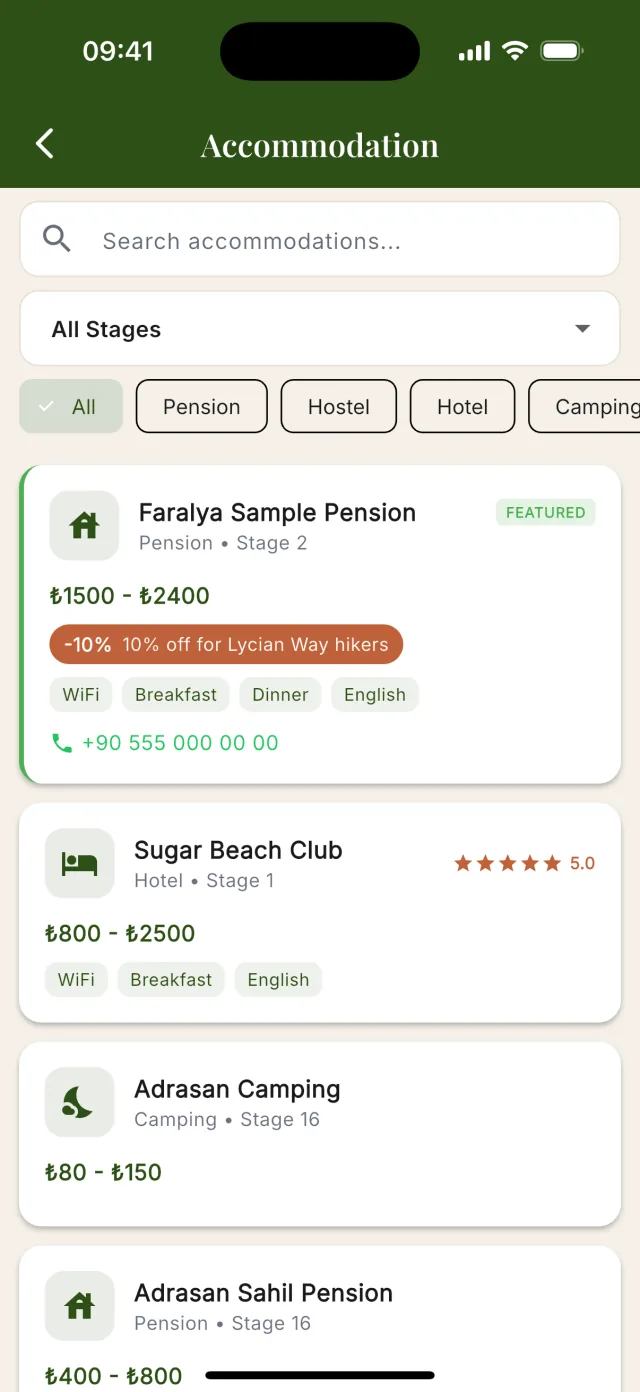
At the top of the list
In a stage’s list of places to stay, Premium places come first. Your card stands out with a green edge and a “FEATURED” badge; in the list that “See all” opens, it also shows your phone number and your discount.
Your listing on Lycian Way
Your business appears on the Lycian Way app and website. Right now hikers can see your place, but they cannot reach you through our platform.
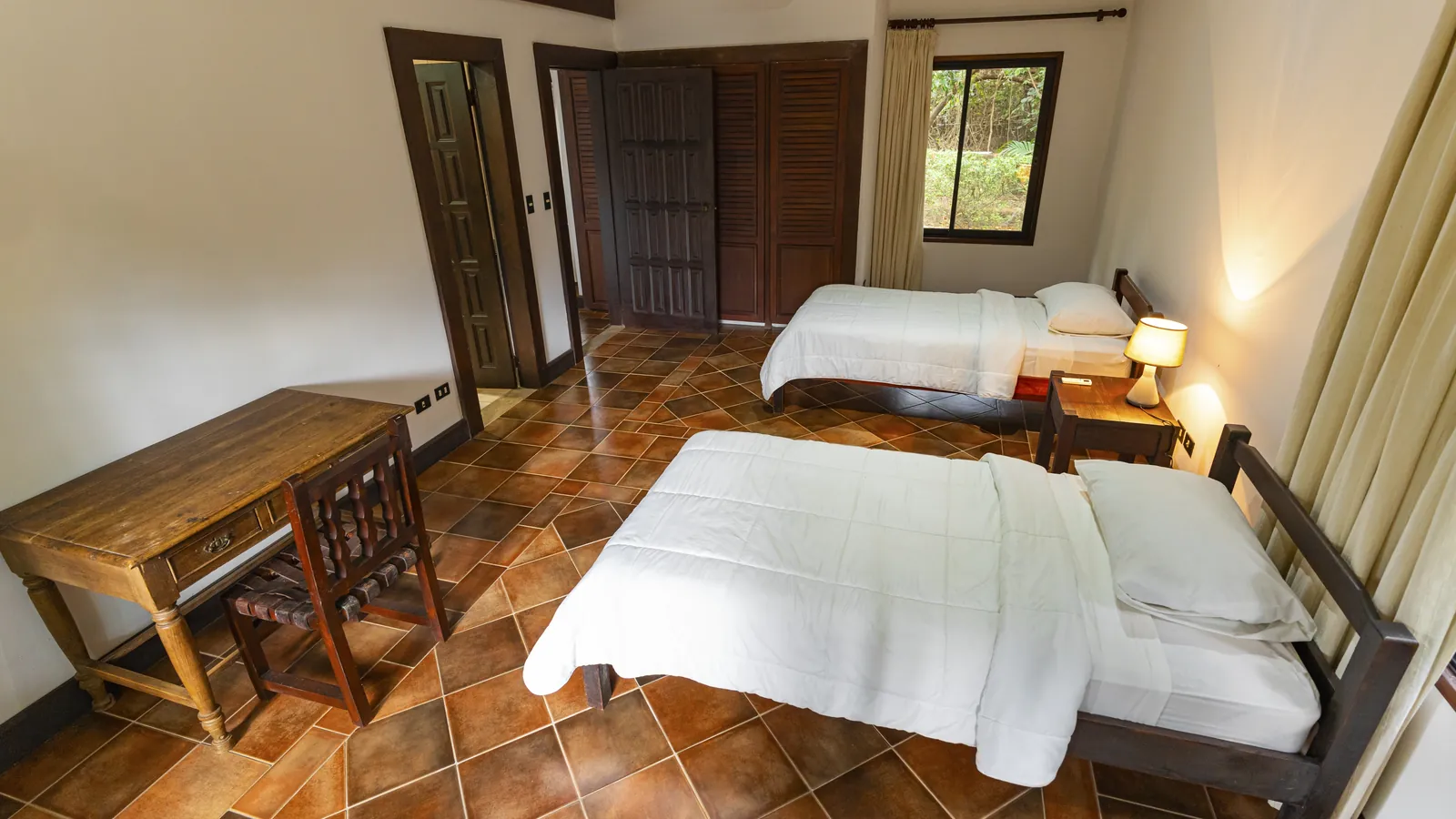 Sample photoFeatured
Your business
Guesthouse · ★★★★☆
Your own description, your photos, your prices.
With the Premium Plan: your own description, buttons to call you, message you on WhatsApp and open your website or booking link, and “Featured” at the top of your stage.
Your business
Guesthouse ·
Hikers can see your place now, but have no way to reach you.
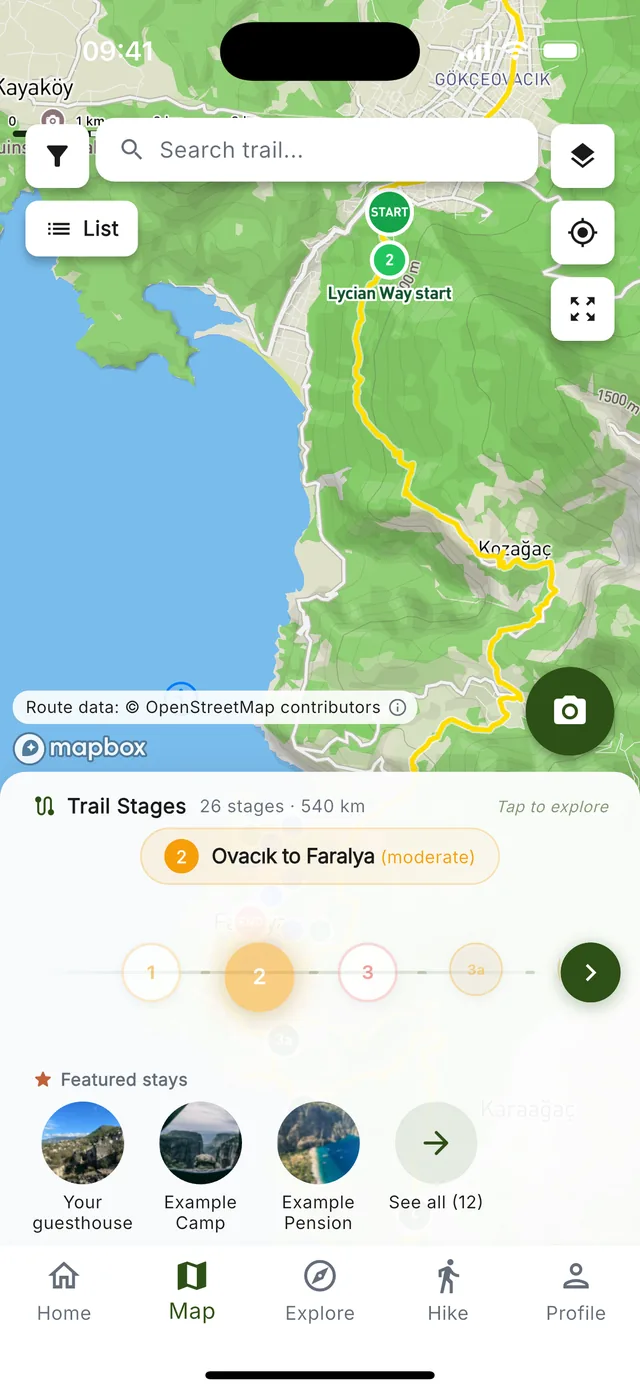 Your place
Only places on the Premium Plan appear in the “Featured stays” row; when several share a stage, the order changes every day. A stage with no Premium place shows a random few of its places there instead, under “Stays on this stage”.
Claiming is free. You choose the Premium Plan later from your dashboard.
Choose the email and password you will use to manage it.
Too many attempts from your connection. Wait a while (at most an hour) and open your link again — it is still valid.
This listing already has an owner. If it is yours, sign in to your dashboard to manage it.
Sign in to your dashboardTell us who you are and we will send you a personal link to claim your listing.
Thank you. If we have a contact address from your own website, your link is already on its way there — check that inbox and its spam folder. If we have none, or you cannot reach that inbox, our team will contact you to verify your business.
The stage row is only the start. With the Premium Plan your place stands out in the app and on lycianway.co.uk, and in the app hikers reach you in one tap.
In a stage’s list of places to stay, Premium places come first. Your card stands out with a green edge and a “FEATURED” badge; in the list that “See all” opens, it also shows your phone number and your discount.
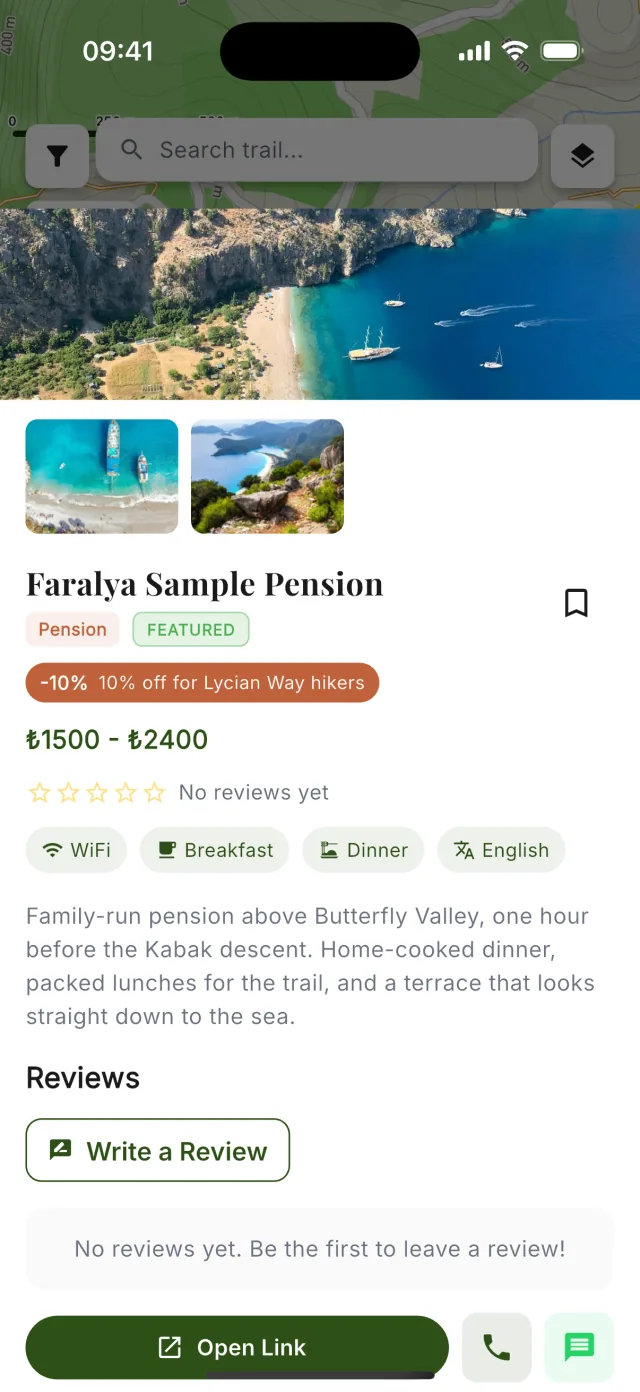
When a hiker opens your listing they see your photos, your own description and your prices. The buttons underneath call you, message you on WhatsApp or open your link: your booking link if you added one, otherwise your website.
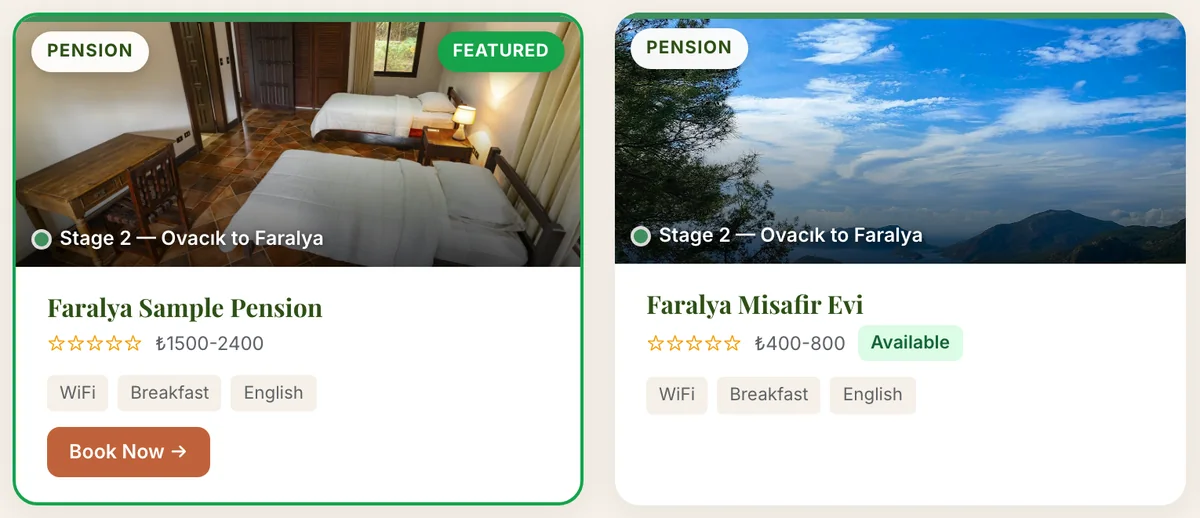
In lycianway.co.uk’s “Stay & Eat” guide, Premium places come first, with a “Featured” badge and a green frame. Add your booking link and a “Book Now” button on your card takes hikers straight to it.
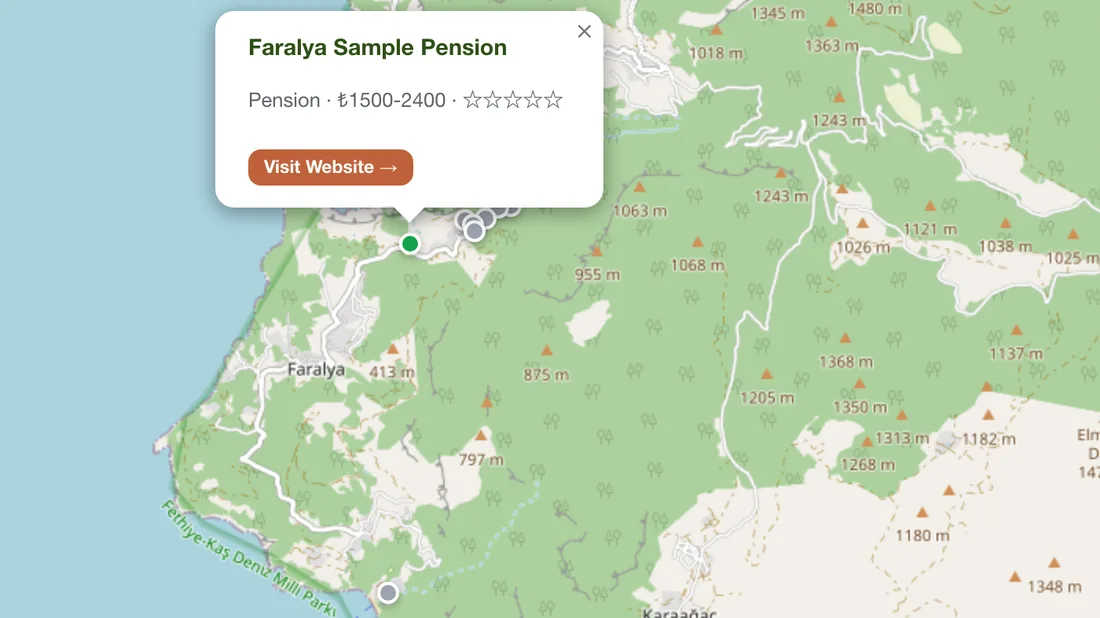
On the website’s accommodation map and on the app’s Map screen, your place has a green pin; the others are grey on the website and blue in the app. On the website, hikers who tap your pin can open your booking link if you added one; in the app, a tap opens your listing.
Real screens from the Lycian Way app and lycianway.co.uk; “Faralya Sample Pension”, its photos and details are examples.
See who uses the app · The Premium Plan and prices · How listing works · Partner terms
Your listing is now yours to manage — photos, prices, contact details and more.
We have emailed you a confirmation with your sign-in address.
Hikers see it at the top of your listing in the app and on your card on this website, whether or not you choose the Premium Plan.
You can change it, and add more photos, from your dashboard.
To show your phone to hikers, choose the Premium Plan from your dashboard.
Go to your dashboardYour listing has been removed from Lycian Way. Nothing further will happen unless you contact us.
Removed by mistake? Write to hello@lycianway.co.uk and we will restore it.
Claim links are personal and expire after 7 days. Did not expect this? You can safely ignore it — nothing changes on your listing until a link is used. If you open this page and do not claim, we may send you one reminder a few days later.